RCSearch
  • Submit registration
  • Login
Join to our channels: new products, coupons, best deals:

Racing Drone Video TX

<200mW VTX
200~600mW VTX
EWRF TS5823 Pro 600mW VTX
FlyTo FT1573 5.8G 48ch 400mW VTX
Sub250 Send T400 VTX 400mW
iFlight BLITZ Mini Force 5.8GHz 600mW VTX
BetaFPV M03 5.8G 350mW VTX
Foxeer Reaper Nano V2 5.8GHz 72CH 25-350mW VTX MR1840
GEPRC RAD Tiny 5.8G 400mW
600~800mW VTX
>=1000mW VTX
Racing Drone Video TX built-in DVR
Video TX + Camera
Dual Antennas 5.8GHz VTX
RC FPV in winter
Multirotors
FPV
Helicopters
Remote Controllers
Airplanes, aircrafts, flying wings
Battery Chargers
Batteries
Robots
Electronics
Boats
RC Cars
Brands
Fasteners
Fun Club & Merch
DJI
Backpacks & Cases
Workbench
Arduino World

EWRF e709TM3 Pro 500mW

Multirotors → FPV Racing drones → FPV drone electronics → Racing Drone Video TX → 200~600mW VTX → EWRF e709TM3 Pro 500mW
EWRF e709TM3 Pro 500mW

Specifications

  • Brand Name: Foxeer
  • Material: Composite Material
  • RC Parts & Accs: Transmitters
  • For Vehicle Type: Helicopters
  • Model Number: EWRF e709TM3 Pro
  • Technical parameters: Value 2
  • Size: as show
  • Use: Vehicles & Remote Control Toys
  • Upgrade Parts/Accessories: Transmitter
  • Remote Control Peripherals/Devices: Transmitter
  • Four-wheel Drive Attributes: Transmitter
  • Tool Supplies: Transmitter

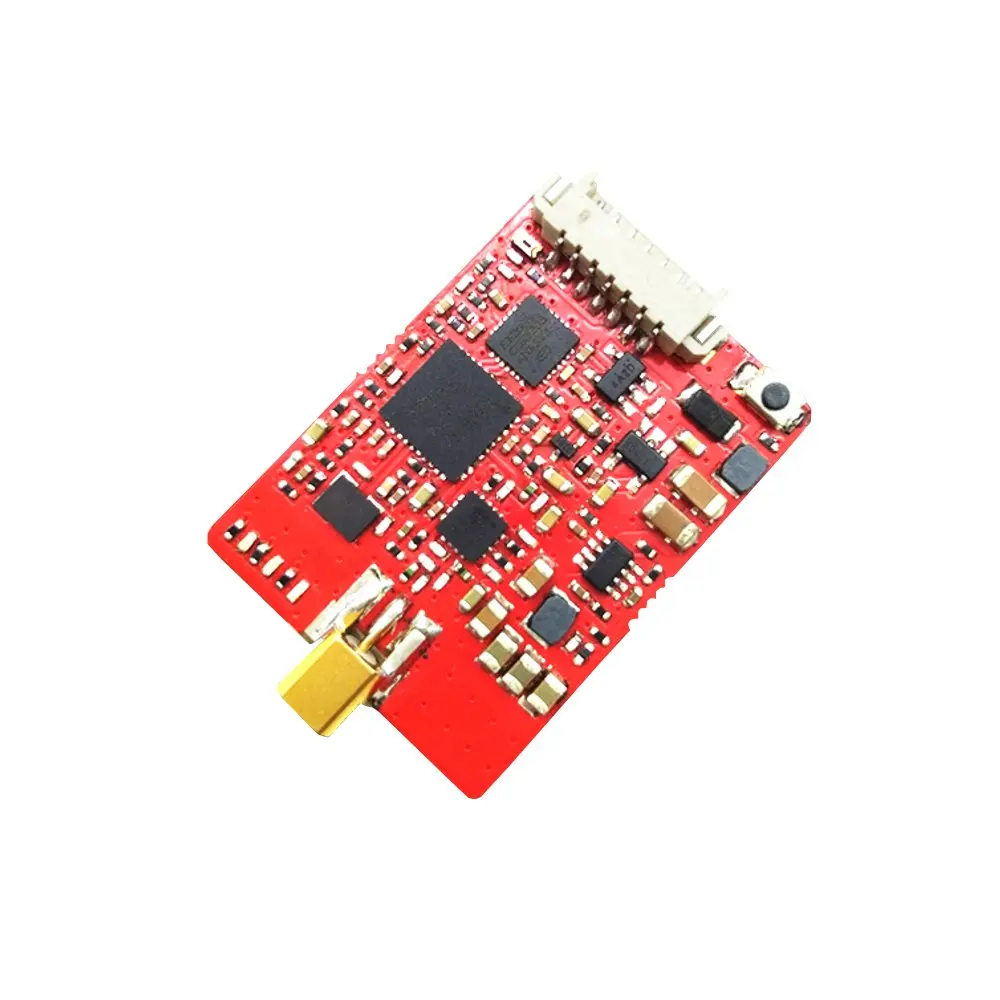
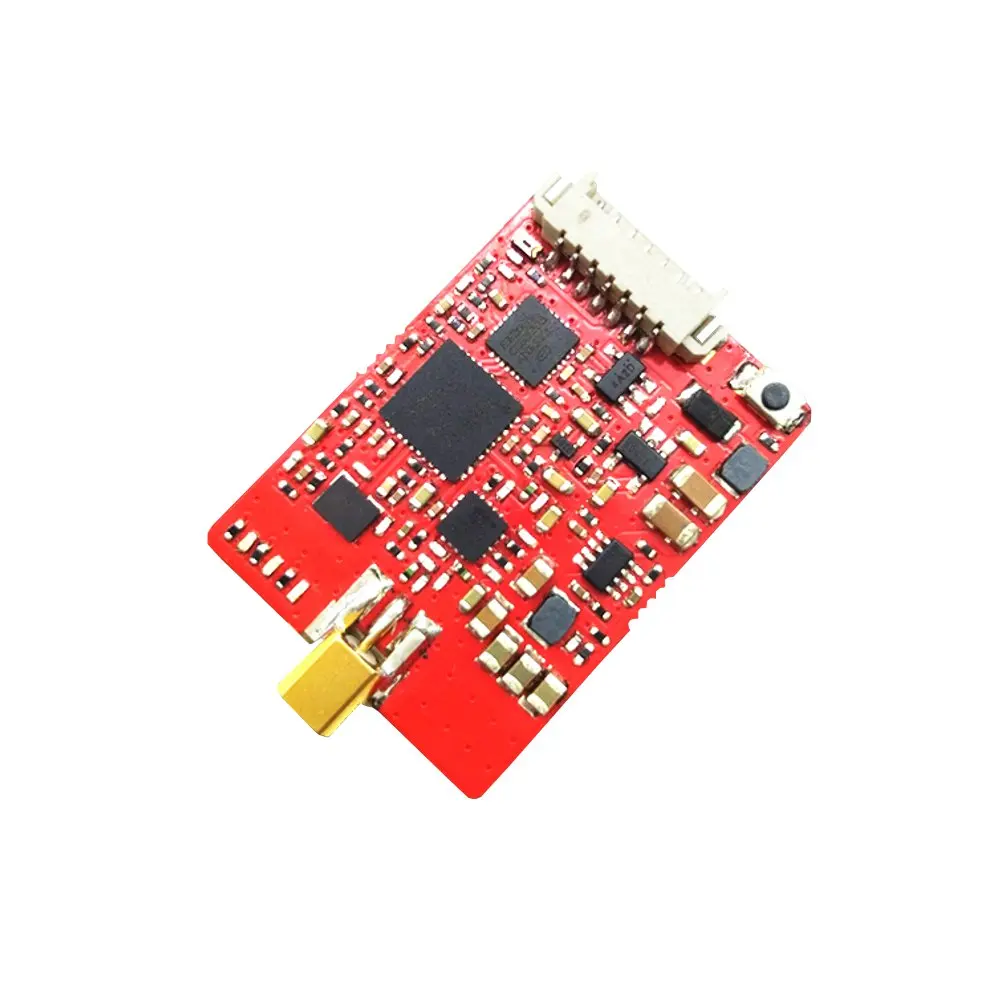
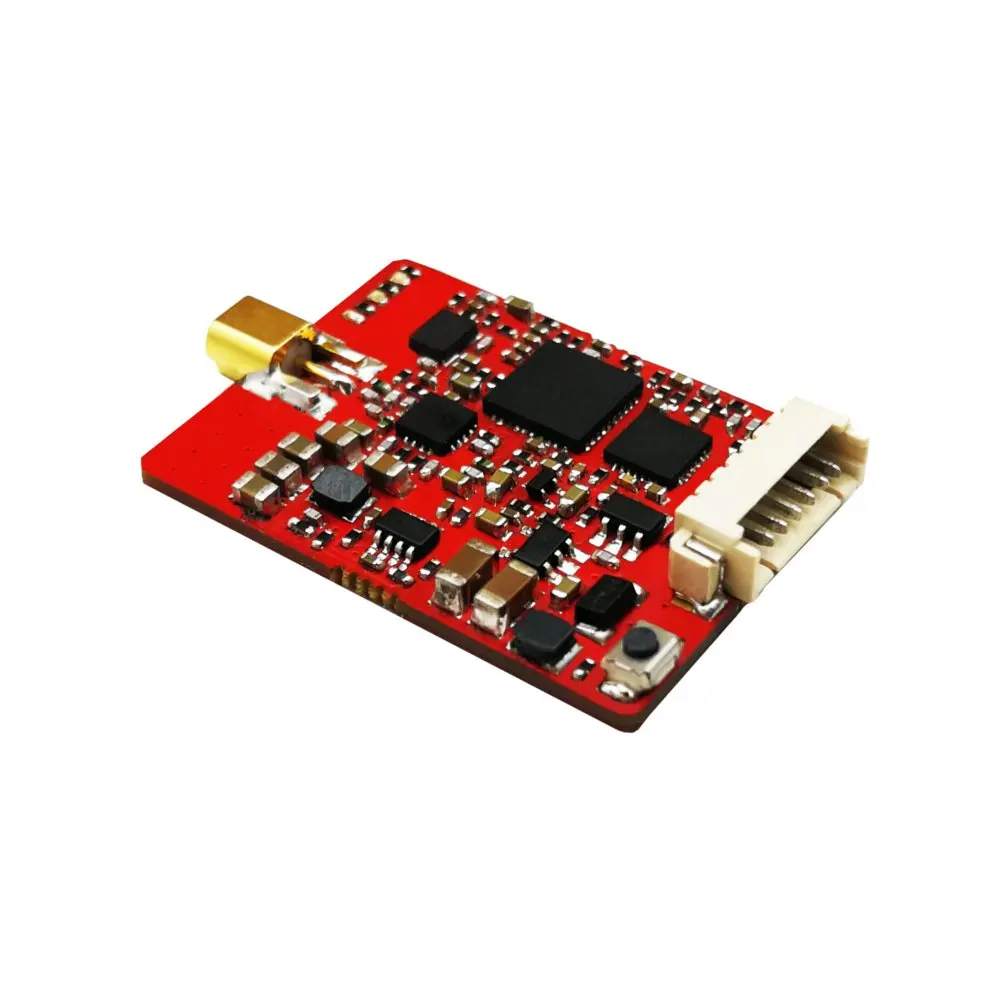
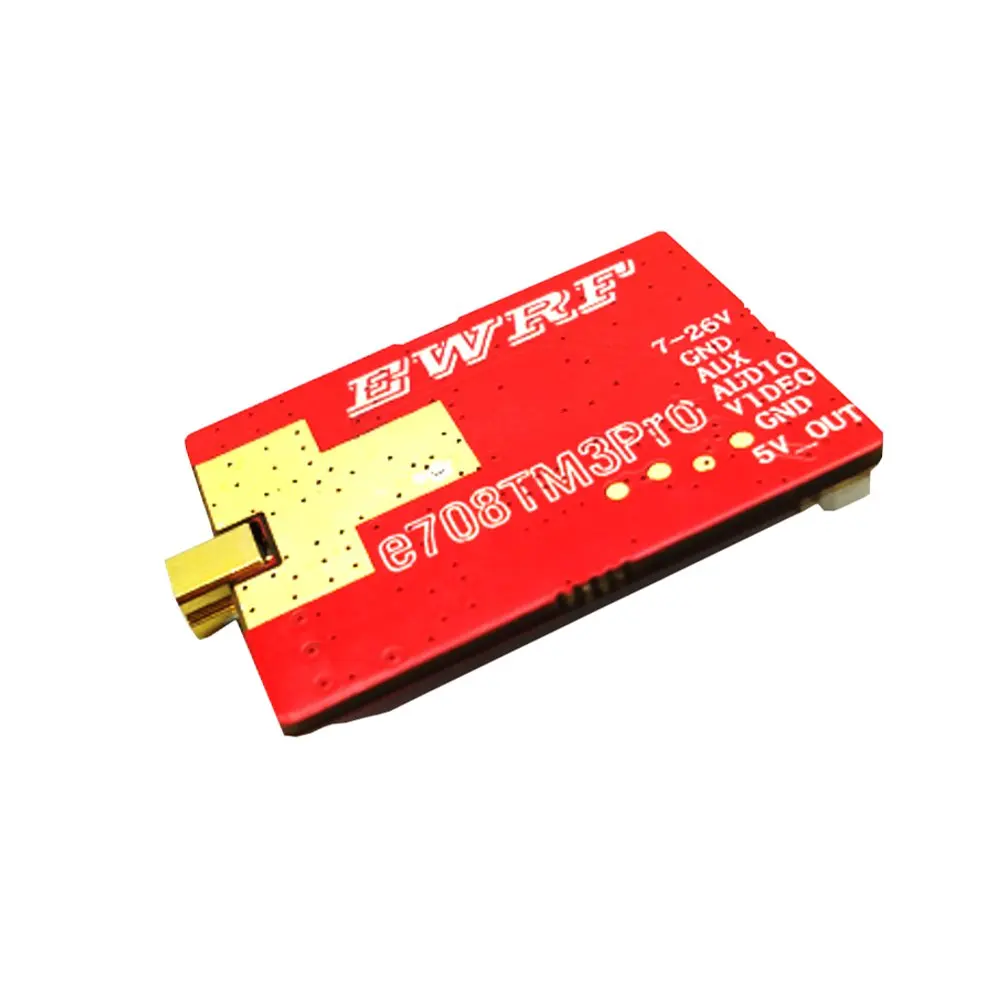
EWRF e708TM3 Pro 5.8G 48CH VTX 25mW/200mW/500mW/OFF Power Adjustable FPV Video Transmitter

Description:
Item Name: EWRF e708TM3 Pro
Frequency: 5.8G
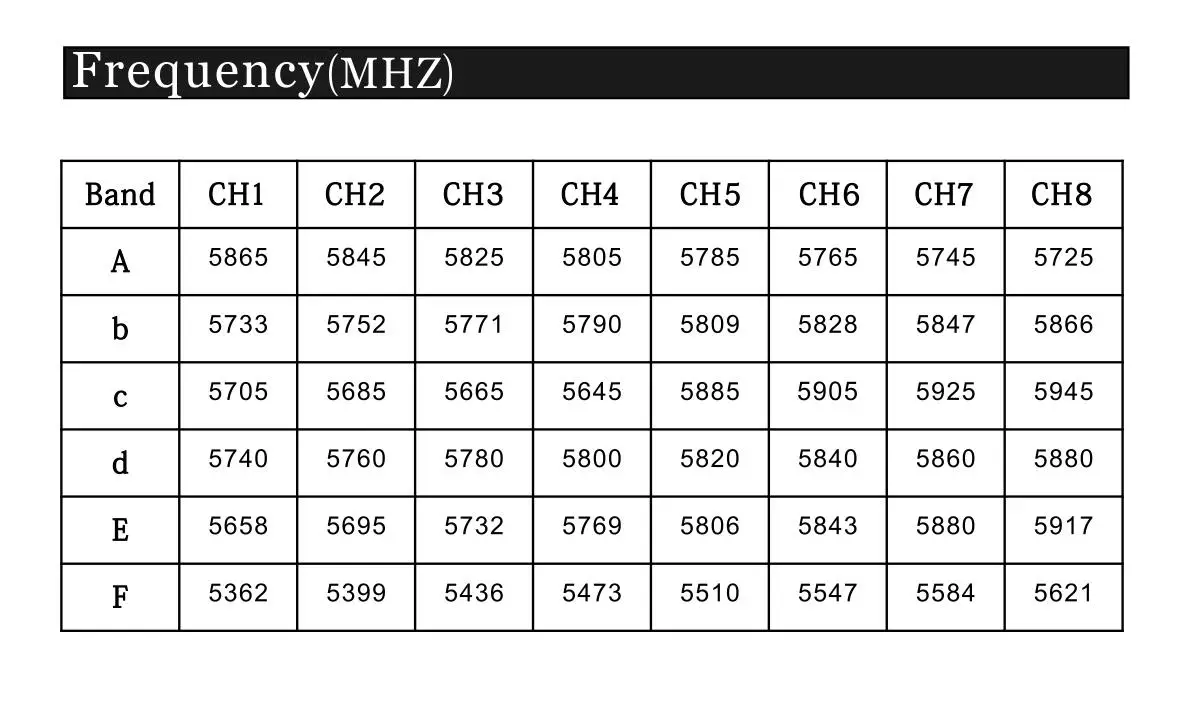
Channel: 48CH
Transmitting Power: 25mW/200mW/500mW/OFF (Pitmode)
Power Supply: DC 7-26V (6S)
Current(12V): 90mA (25mW) / 130mA (200mW) / 220mA (500mW)
Standard Size: 29.9*21.7*4.85mm
Weight: 4.4g
Antenna Connector: MMCX (RP-SMA Female)
Features:
* Adjustable 4 Modes: 25mW/200mW/500mW/OFF
* Betaflight/Cleanflight OSD configuring parameter
* Clean powerup and channel switching without interference to others
* Smaller current (12V power supply, 220mA/500mW)
User Guide:
1.LED Indication
- The red LED indicates the state of working mode or the item when setting the VTX(flashing 1 time means selecting the channels, flashing 2 times means selecting the bands, flashing 3 times means selecting the power levels).
- The blue LED indicates the state of Pitmode or the value of item when setting the VTX( e.g. when selecting the channels, 3 times of flashing means channel 3. When selecting the bands, 3 times of flashing means band C.As for the item of power levels,3 times of flashing means at the power level of 500mW)
- The green LED flashing indicates that the VTX overheat protection is working, the power level will go down.
2.Working Mode Indication
- After powering up, the red & blue LEDs will signal the following three items of VTX in turn: channel, band and power level(the flashing times of the red and blue LEDs indicate the item and the value respectively). After that, the LEDs indicate the working modes.
- Normal: The red & blue LED are on.
- Pitmode: The red LED is on and blue LED is off.
3. Setting
- Press and hold the button until the red LED flash 1 time which means the item of channel selecting, then press the button can select the channels (blue LED flashing times corresponds to the channel 1-8).
- Press and hold the button again, the red LED will flash 2 times which means the item of band selecting, then press the button can select the band (blue LED flashing times corresponds to the band A-F).
- Press and hold the button again, the red LED will flash 3 times which means the item of power level selecting, then press the button can select the power (blue LED flashing times corresponds to the power level).
- Finally, press and hold the button, save and exit the setting of VTX(This step is essential for setting).
- Press the button twice will toggle the ON/OFF of Pitmode.
For Betaflight/Cleanflight OSD setting of channel,band,power and Pitmode ,please referring to ‘Betaflight OSD setting of EWRF Transmitter’for details.
4.Custom Power Settings
Press the button and turn on the power for 10 seconds.,the transmitter will enter the advanced mode. Blue light off, increase the fourth gear power file (custom power).The fourth and fifth setting, add the two settings of values for the custom power file.
Note:
- Make sure that there is enough space for airflow when installing the module on the drone in case the overheating protection starts to reduce the power even to shut down at the worst.
- Please install the antenna before powering up for a longer use life.
- The maximum current of output DC 5V is 500mA.
English Manual, Click Here
Package Included:
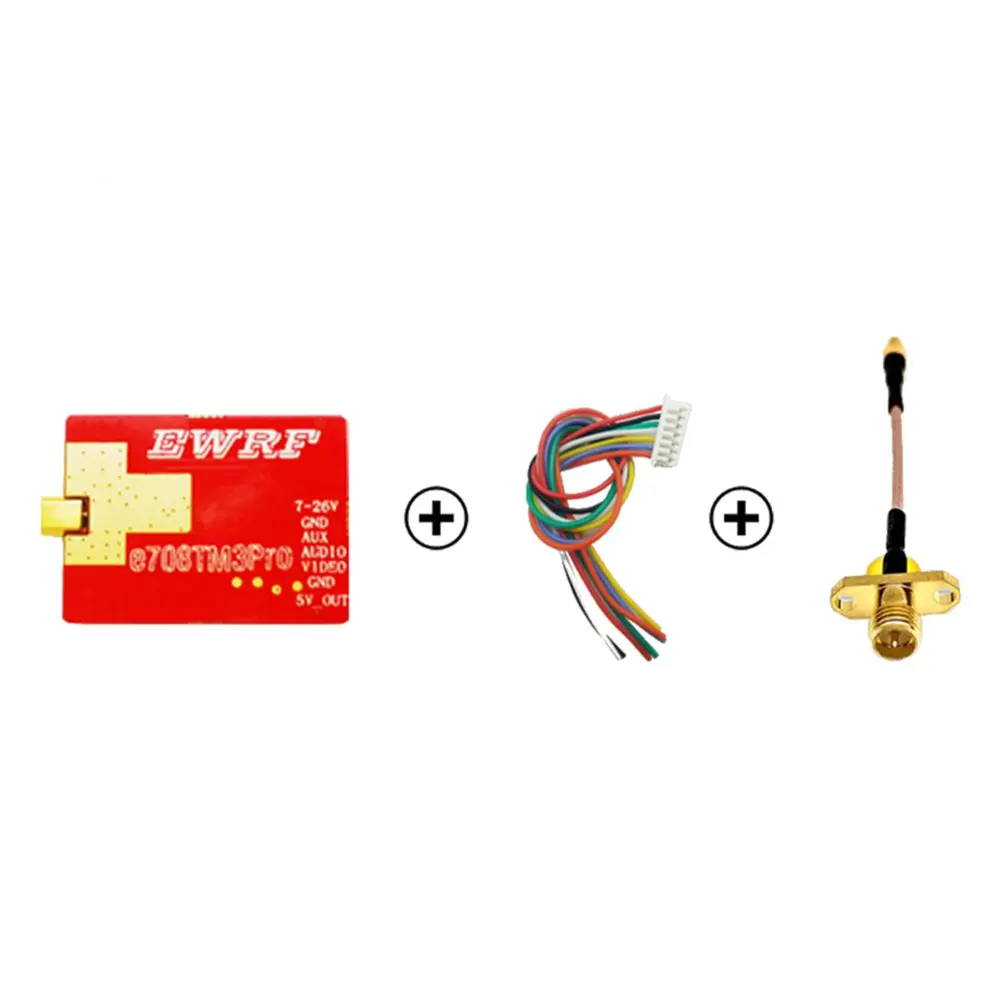
1x EWRF e708TM3 Pro 5.8G 48CH 25mW/200mW/500mW/OFF Power Adjustable VTX
1x Antenna
1x Cable


Share

Prices for EWRF e709TM3 Pro 500mW in stores

Deals found: 2 ()

See also

200~600mW VTX
200~600mW VTX
Join to our channels: new products, coupons, best deals:
Copyright © 2011—2025 | RCSearch.info | Manych project
↑